Temporary roles · real sessions
Give a team one task. Keep every role in view.
Swarms coordinate reusable People through temporary responsibilities. Choose a recipe, review the topology and model choices, approve the plan, then follow what actually happens in Operations.
A role is not a Person
Recipes define the responsibility. You choose who takes it.
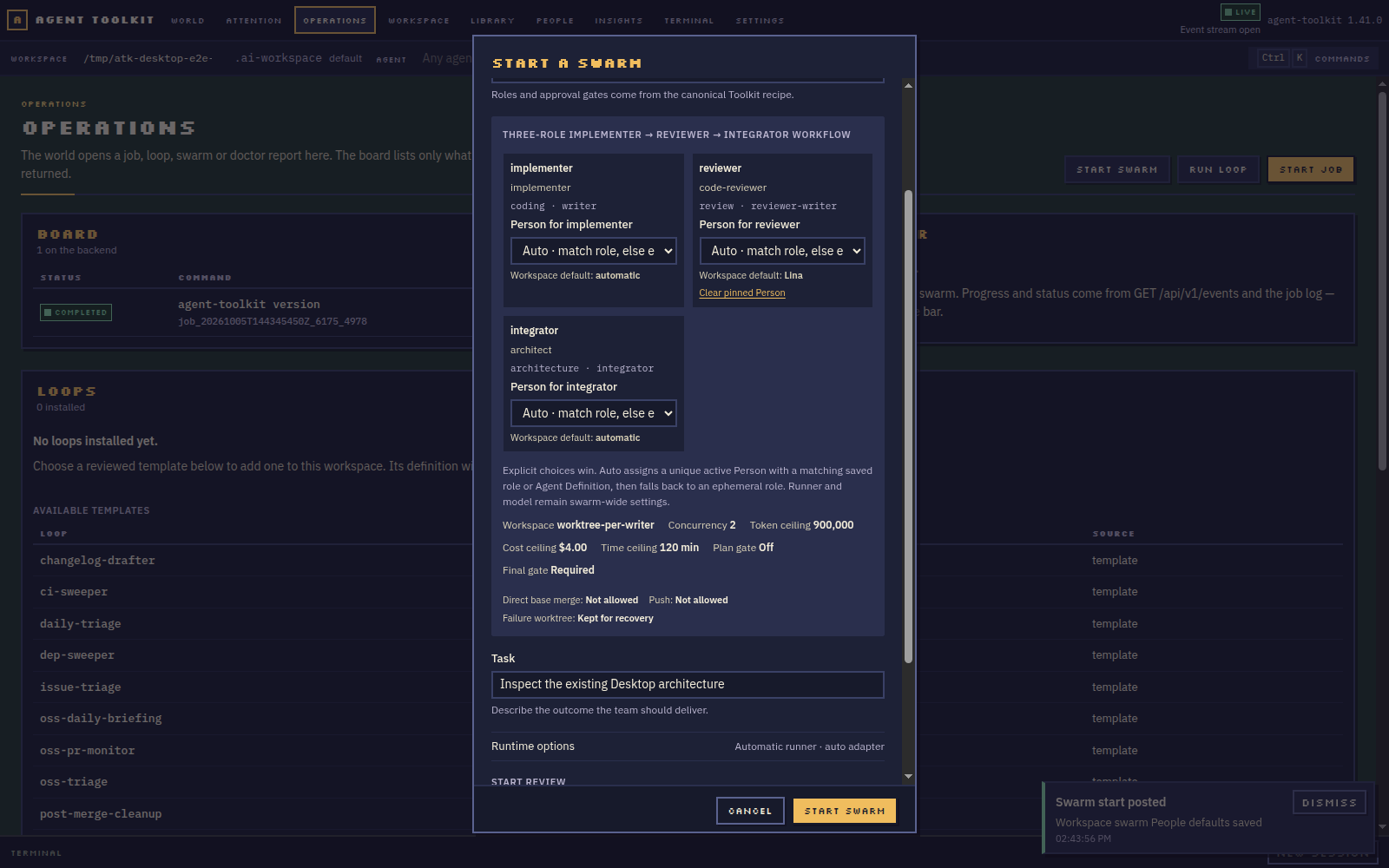
Planner, implementer, reviewer, architect and QA remain ephemeral Swarm roles. Bind them to a compatible Person when you want a familiar collaborator, or choose Auto and let the canonical resolver create an ephemeral session.
Inspect the recipe
Read the planned topology and its canonical role requirements.
Choose the team
Override runner, model profile and optional Person per role.
Check the gates
Review isolation, budgets, approval points and cleanup scope.
Create actual sessions
The configured runner, backend and workspace determine runtime.
Follow the run
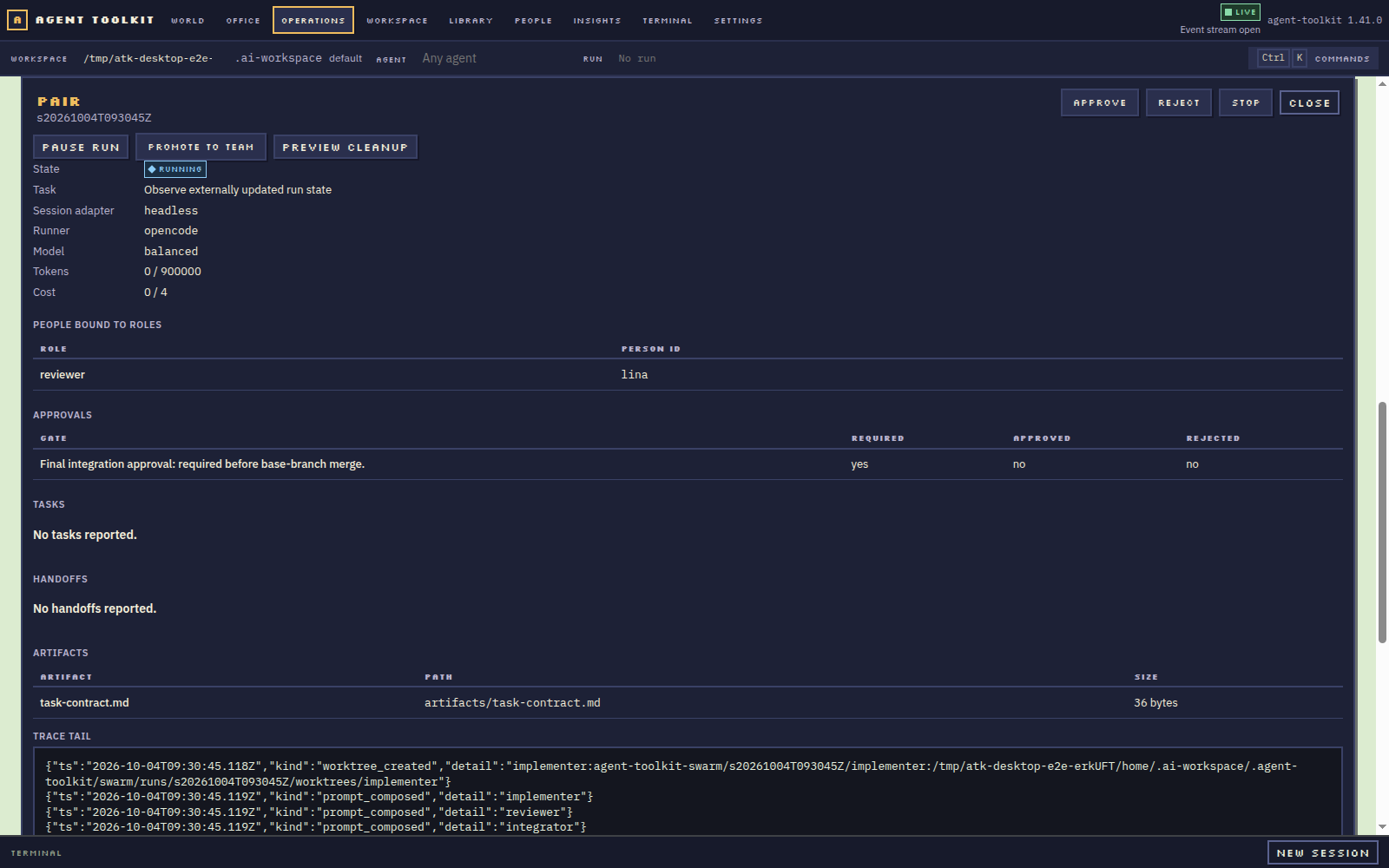
Inspect handoffs, artifacts, events and logs in Operations.
Act on real state
Approve, pause, resume, stop or clean up with a review.
Operations shows what. The World shows where.
Observe the run without turning the map into a graph.
Operations is the detailed view: it explains role state, human gates and recovery. The World provides a spatial overview of where live project work happens. A Person appears in a house only when backend evidence connects a real session to that project.
- Approvals and human input surface in Attention
- Artifacts and handoffs stay attached to the run
- Completed work isn't falsely queued for review
- A headless record is never presented as a live agent