
Use Agent Toolkit
Desktop
Tour the semantic workspace, projects, People, Library and Operations.
CANONICAL SOURCEView this guide in GitHub ↗
Agent Toolkit Desktop
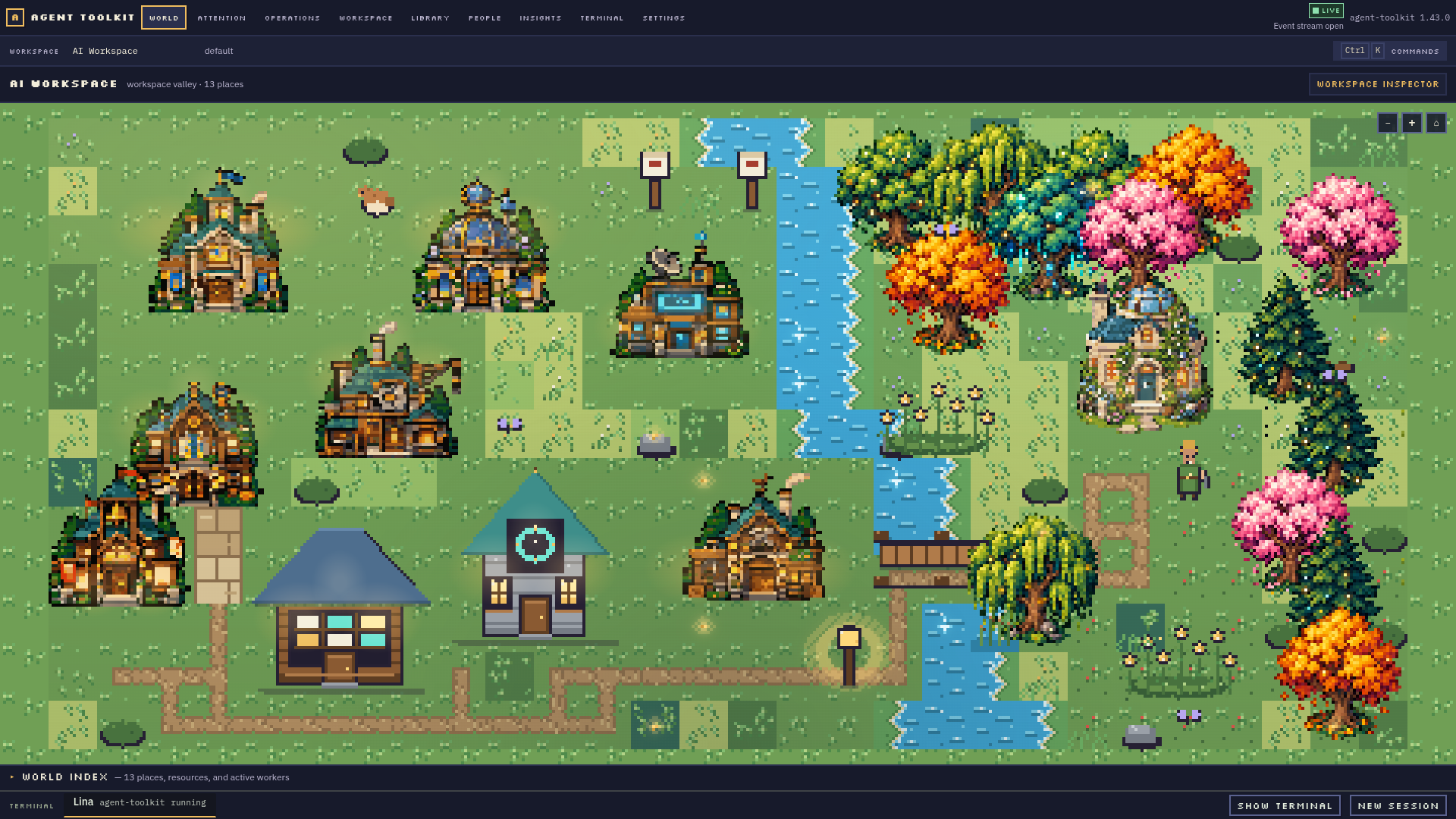
Agent Toolkit Desktop is a standalone Electron workstation over the canonical
agent-toolkit serve backend. Its home screen is a semantic world: the workspace
is a valley, registered projects are buildings, and shared services have their
own recognizable places. The spatial view explains where things belong; the
inspectors provide precise control without requiring the user to walk an avatar
or run CLI commands.
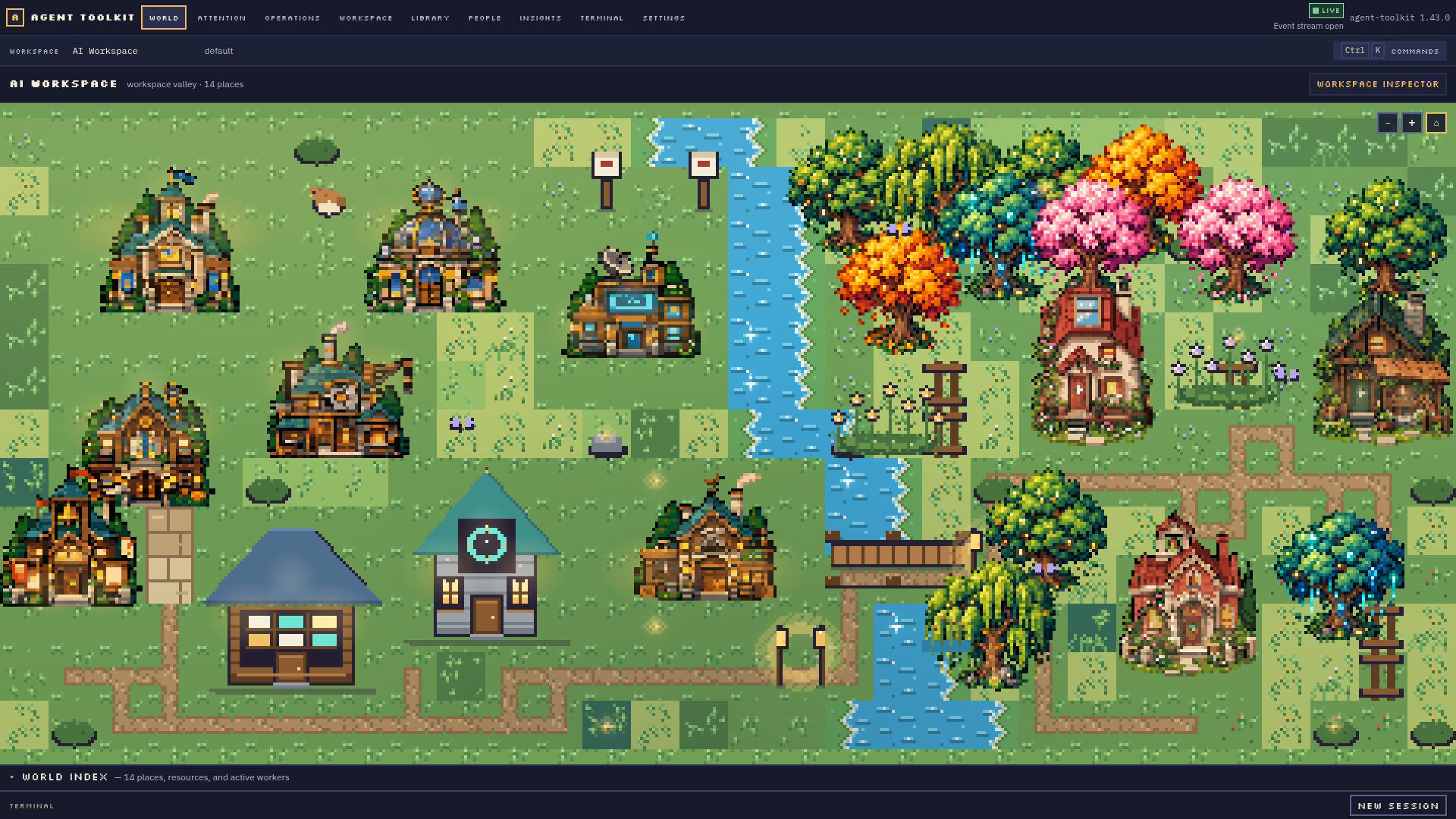
See the product
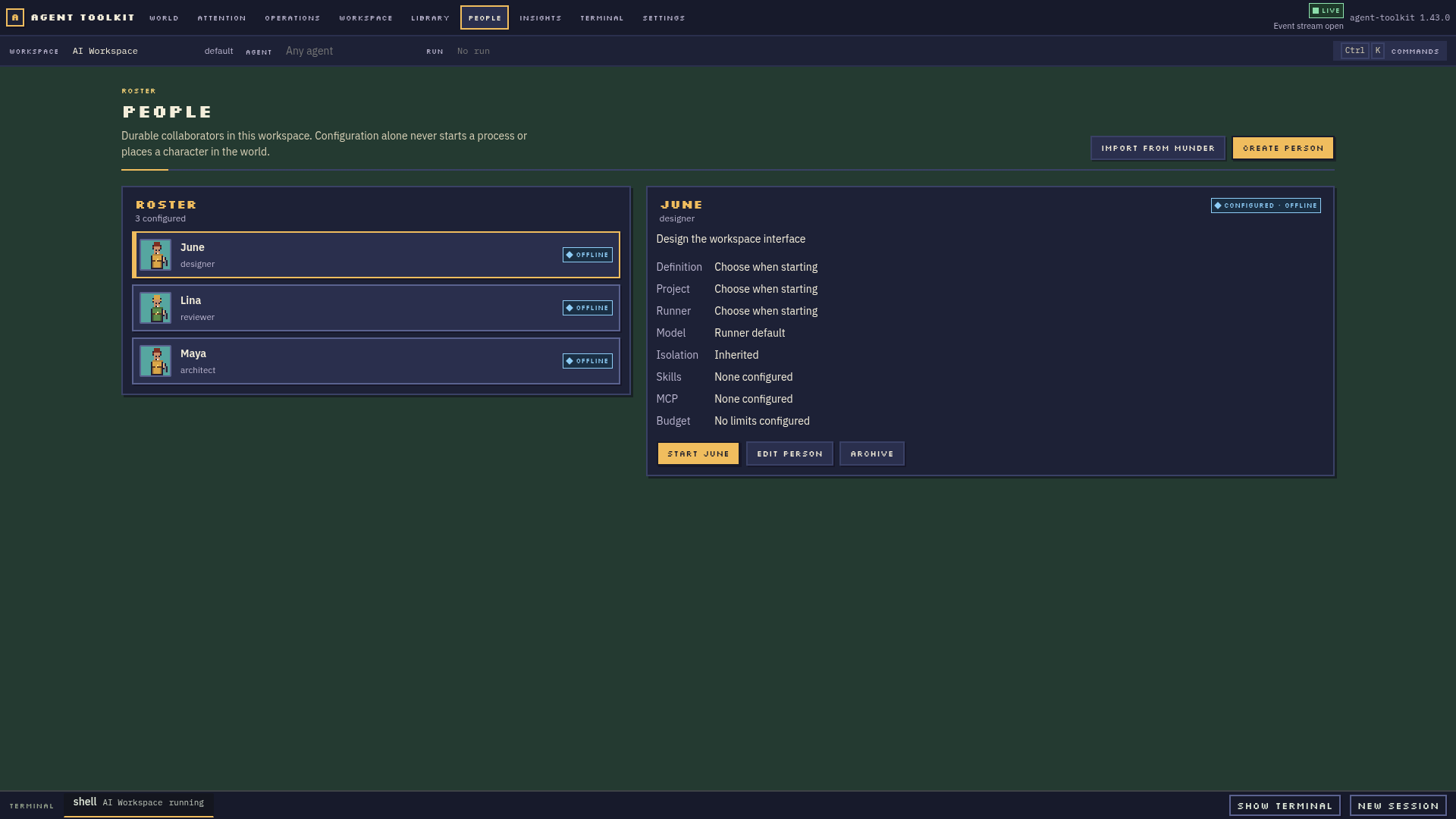
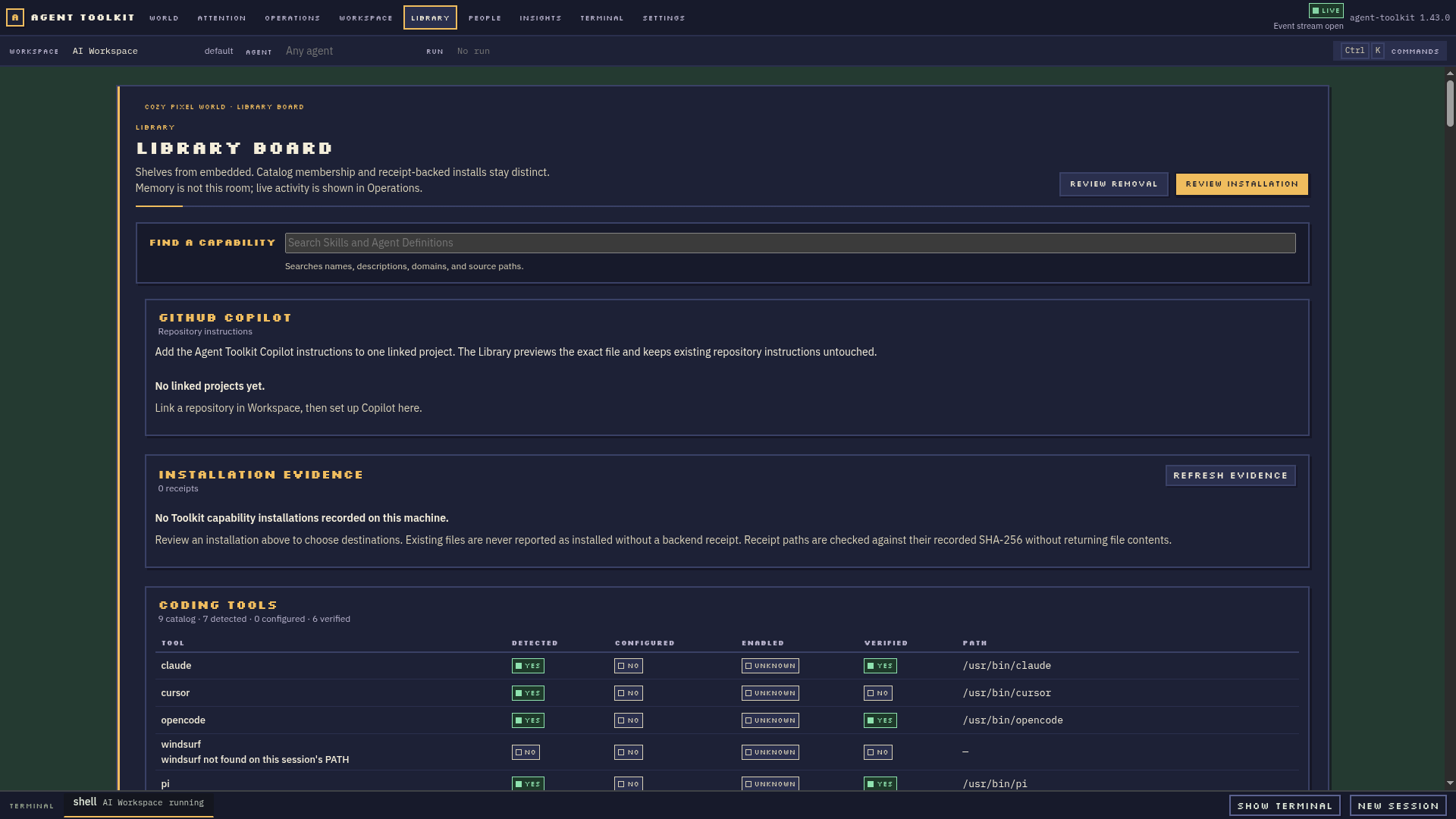
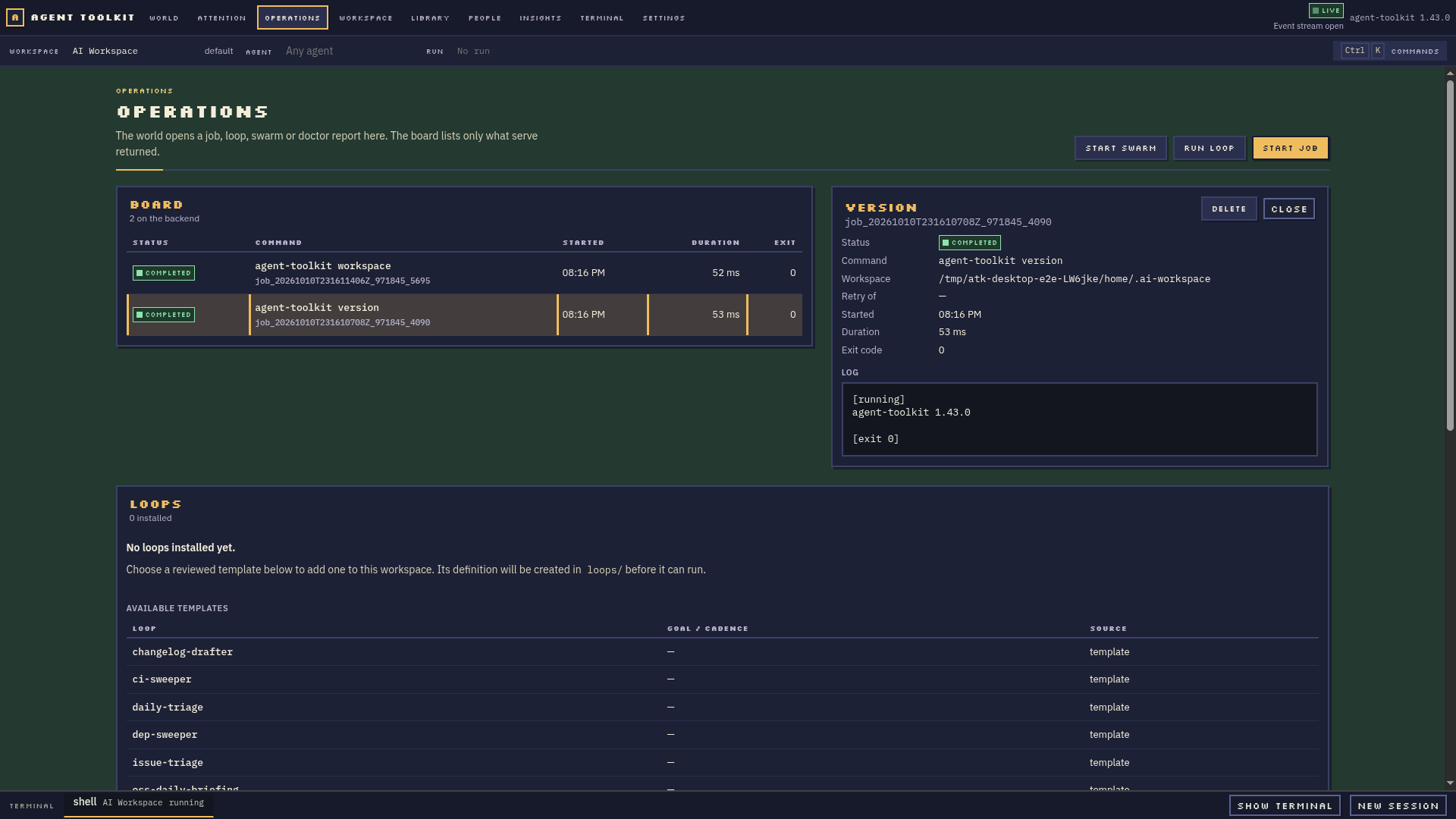
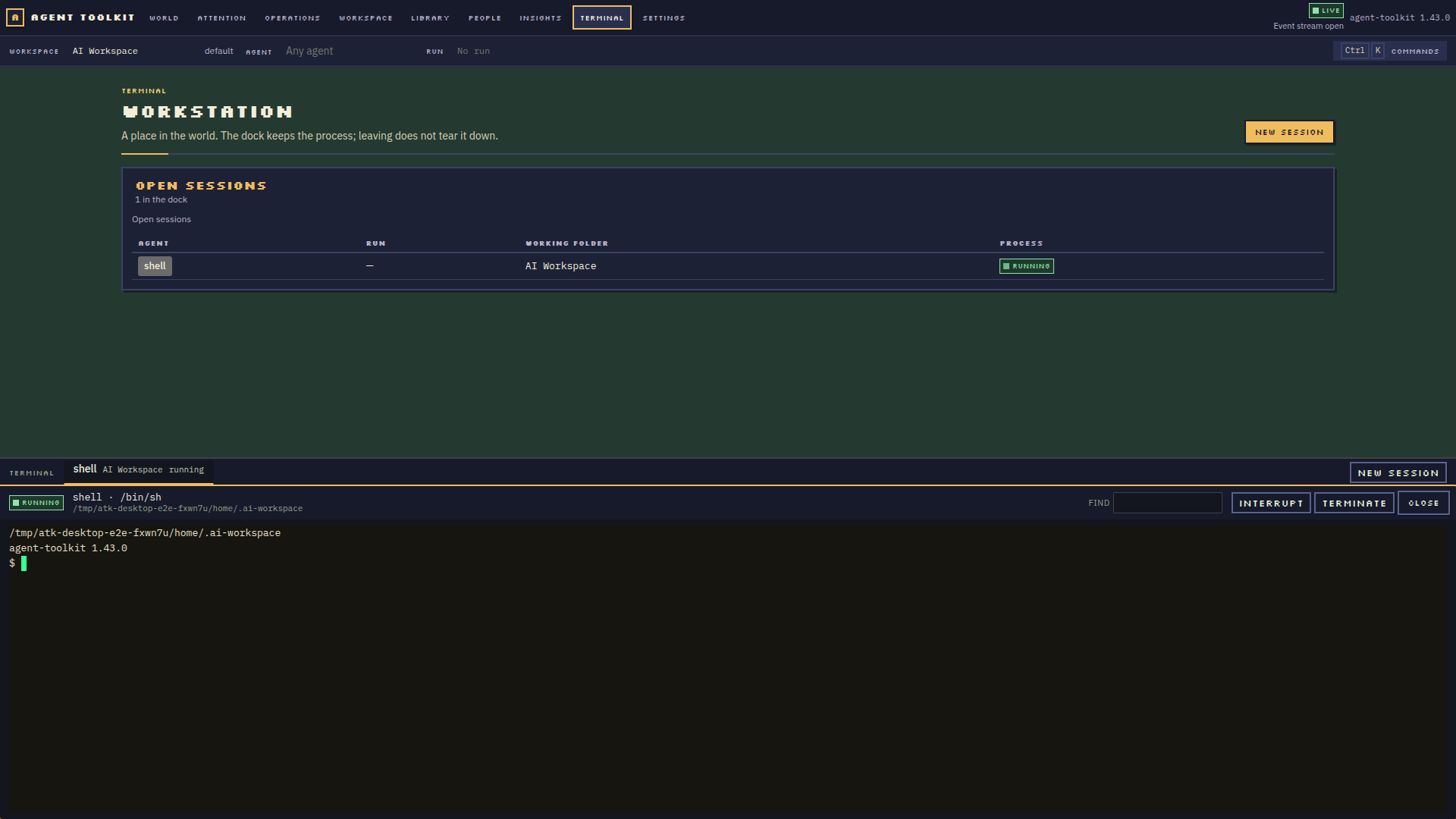
These screenshots were captured from the running Electron application with its real backend. They show product behavior; visual approval and remaining composition work are tracked separately in the visual QA log. The larger world and inspector gallery is in the repository README.
| Meadow valley | Dusk valley |
|---|---|
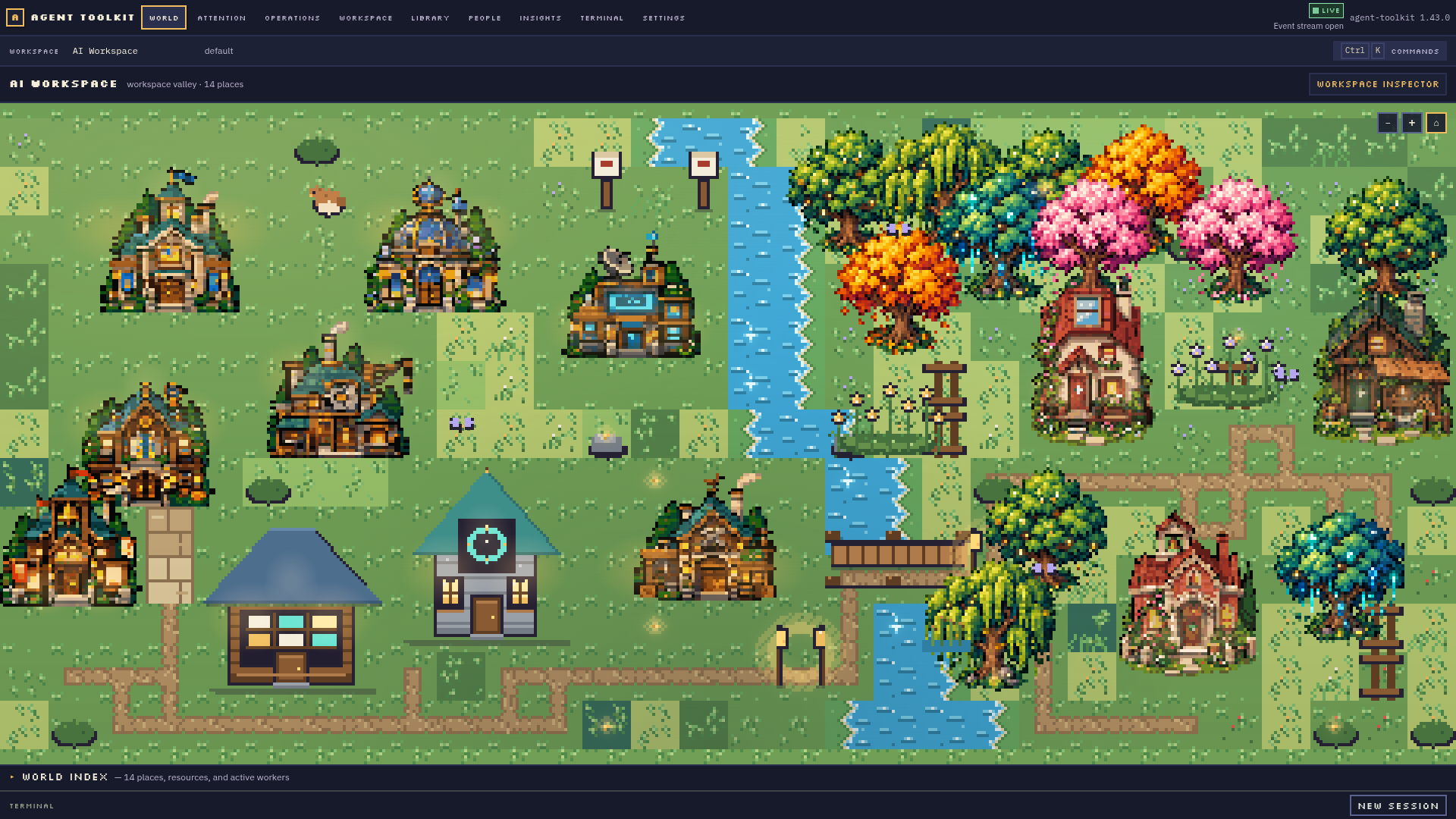 |
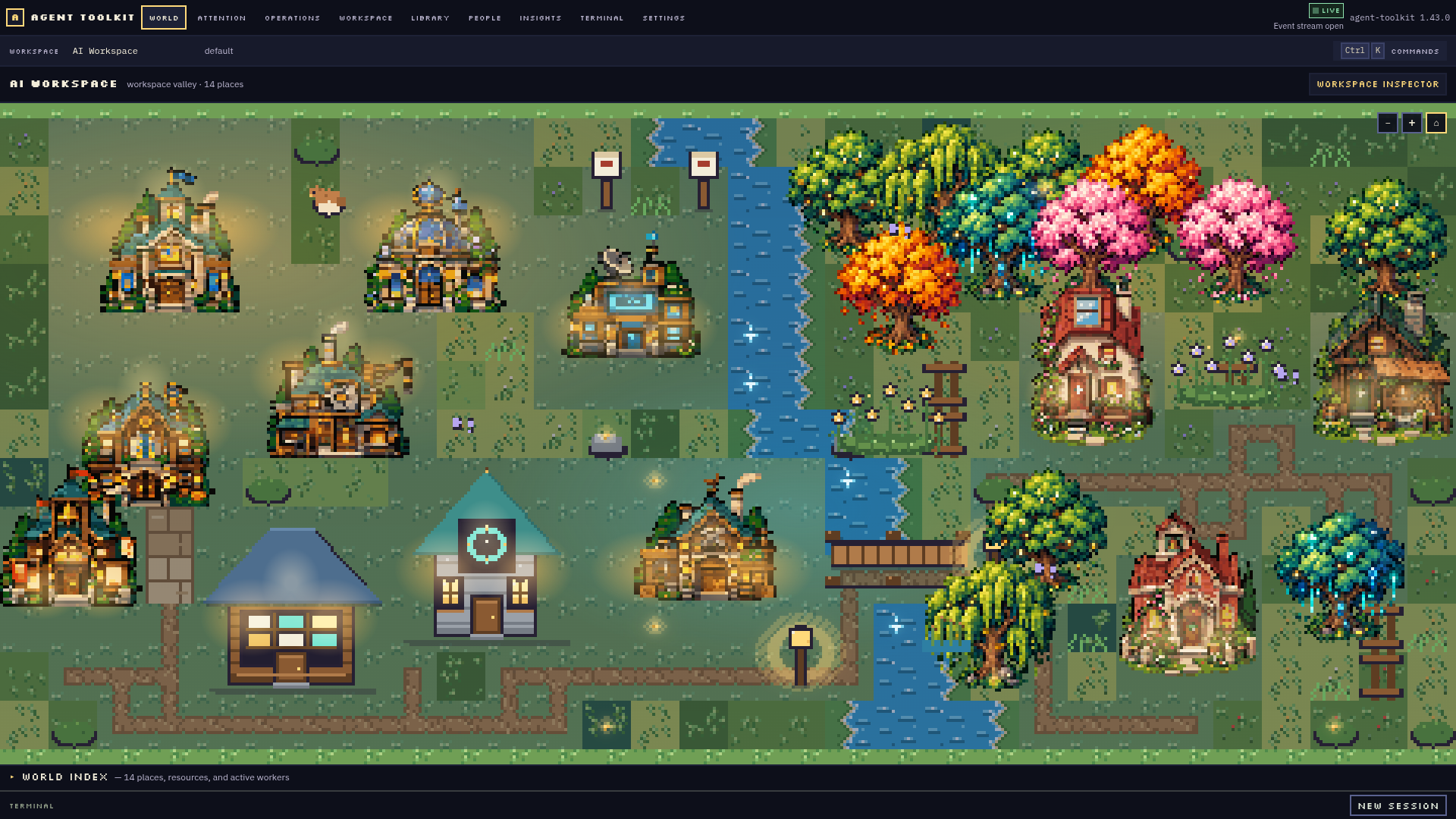 |
| Project interior | Live Person presence |
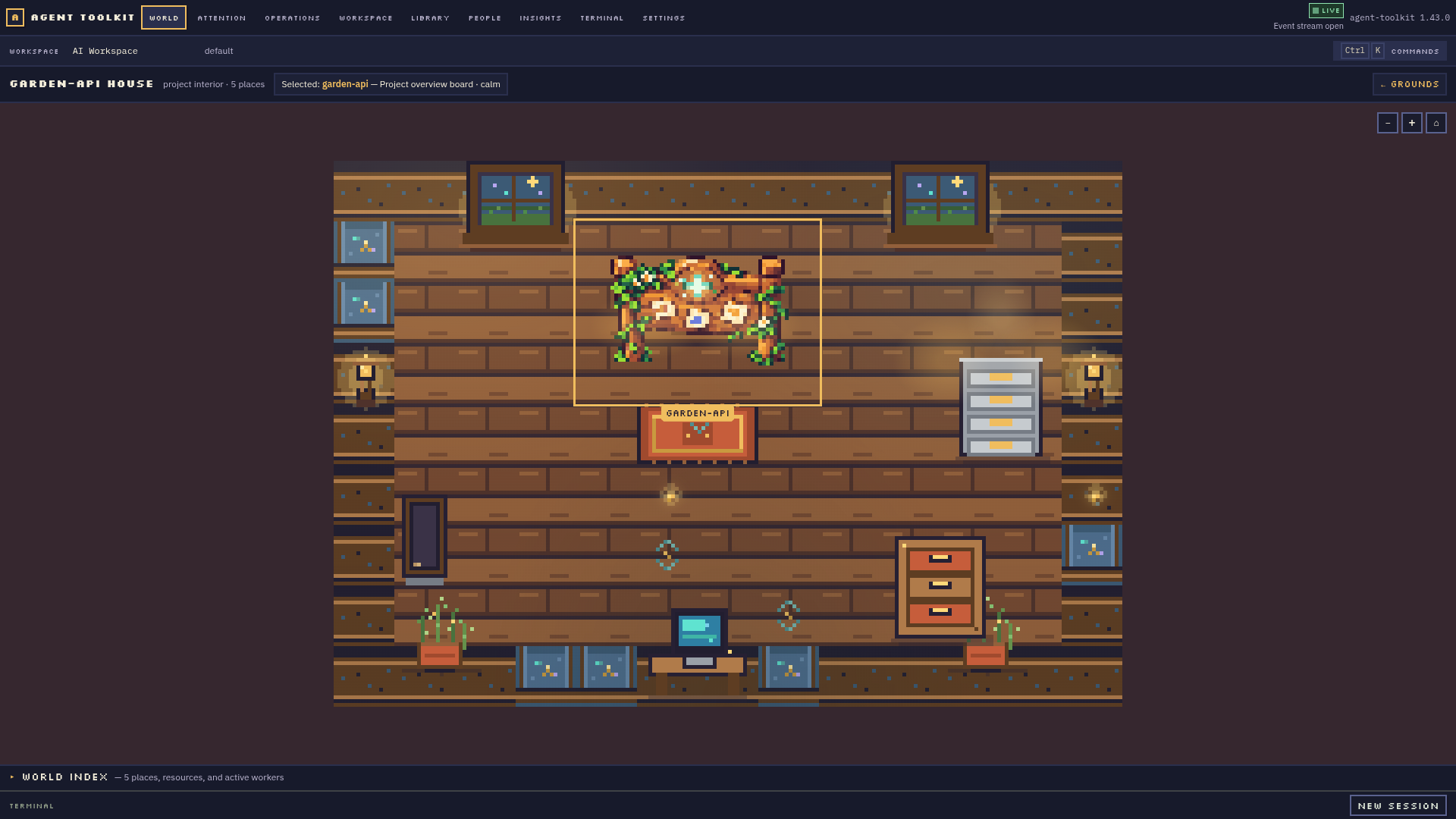 |
 |
| People roster | Capability Library |
 |
 |
| Operations | Real PTY terminal |
 |
 |
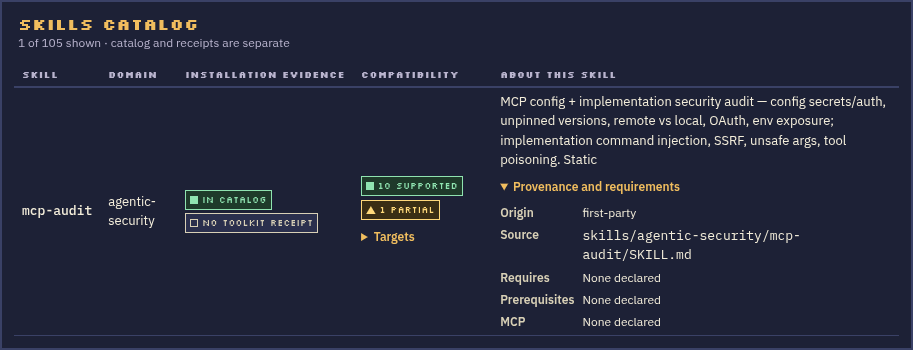
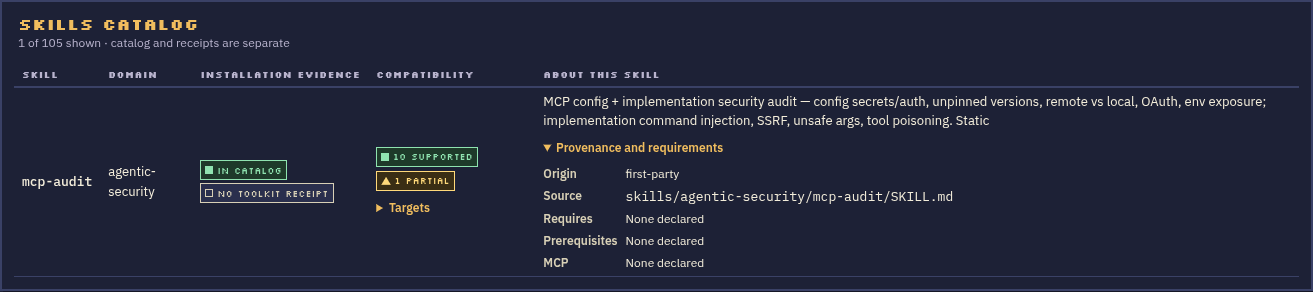
The Library’s Skill catalog also exposes real provenance, prerequisites, compatibility, and a separate Toolkit installation receipt. These close crops keep the detail readable at both window sizes:
| Compact | Large |
|---|---|
 |
 |
The first-run welcome uses the same pixel sprites as World without implying that example projects or workers already exist:
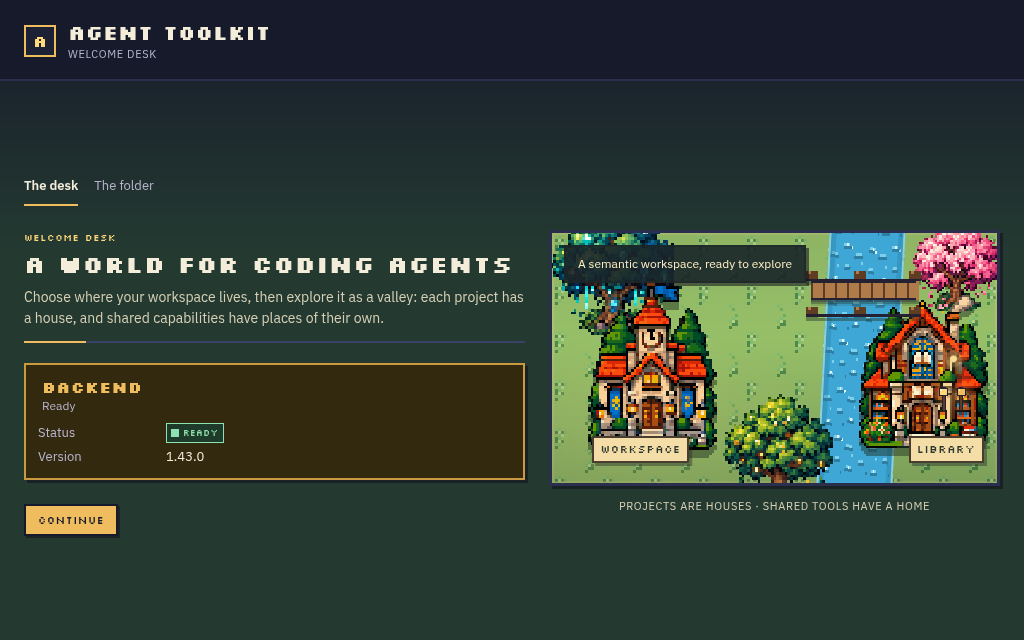
The current screenshots show real behavior, but do not imply visual sign-off.
The visual QA guide records the exact captures opened,
remaining composition issues, and what changed after review. The latest world
captures include an empty workspace, one project, multiple projects in
Meadow and Dusk, and the project interior at compact and large sizes in
world-review-2026-10-09/.
Navigate by place or by action
| Place | What belongs there | Direct route |
|---|---|---|
| World | Workspace context and actual project buildings | /world |
| Project house | Files and project-scoped actions for that repository | Enter a project from World or Workspace |
| Library | Reusable skills, Agent Definitions, packs and MCP resources | Library navigation |
| Archive | Workspace memory and durable records | Memory navigation |
| Operations | Jobs, loops, swarms, approvals, artifacts and recovery | Operations navigation |
| Terminal | Real local PTY sessions | Terminal navigation or terminal dock |
| People | Durable collaborator profiles, separate from live sessions | People navigation |
| Attention | Failures and items that need a human response | Attention navigation |
World objects, menus and the command palette converge on the same typed backend actions. A place should communicate real product state and open a canonical resource; decoration never stands in for a control. See the semantic world contract and UX architecture.
Start using Desktop
Install the platform package from GitHub Releases: AppImage or .deb on Linux, DMG on macOS, or NSIS on Windows. The package includes the V backend and its world assets. No CLI installation, repository checkout, or manual configuration-file editing is required for the basic Desktop setup.
The app guides workspace creation or selection, then exposes capabilities, People, projects, terminals and operations from the interface. A runner must be installed and available before starting a coding session; unavailable runners are reported as such. See packaging for package contents and the current clean-install evidence.
Product model
- AgentDefinition is a reusable Toolkit definition.
- Person is a durable collaborator configured by the user.
- AgentSession is a real live runtime process.
- SwarmRole is a temporary responsibility in one swarm run.
An offline Person remains visible in People and is absent from the world. Only a live session, job or run with real project context can create runtime presence. The Person remains after the process exits. The People guide documents supported configuration and current session limits.
Current status and evidence
The executable coverage source is workflows.yaml. It marks
each user journey ok, partial, blocked, or not-implemented with evidence;
read it before assuming a workflow is complete. Visual quality is tracked
separately in VISUAL_QA.md. Person sessions now have durable V
lifecycle records and recover truthfully as interrupted when the local PTY is
gone. The Start review now preloads the saved goal into a one-time task, previews
the role/goal/task prompt, and sends it through documented interactive options
for Claude, Codex, OpenCode and Copilot. Cursor and Muse open without an initial
prompt and offer a copy action. The prompt itself is not retained in the
PersonSession record.
The table below is a user-facing summary of that ledger. “Partial” means the GUI path exists but a documented end-to-end capability or recovery case is still missing; it does not mean the user should substitute a CLI command.
| Workflow | Desktop entry point | Status | Current limit |
|---|---|---|---|
| First-run workspace creation | Onboarding | Ready | Creates or reuses a workspace through the GUI; a real supervised-backend crash/restart is verified before entering the world. |
| Switch and inspect workspaces | Settings → Workspace | Ready | The GUI rejects a missing destination without changing the active workspace, switches to a second workspace, links a project there, verifies its World building, then switches back without changing the original workspace. Backend recovery after a successful switch is exercised as part of the same flow. |
| Enter a project and open its real files | World project house, Workspace | Ready | Files are read from the linked project through the typed backend. |
| Discover and install capabilities | Library | Partial | A shared search filters Skills and Agent Definitions. Skills show typed provenance, declared requirements and target compatibility separately from receipt-backed install evidence. Workspace packs are not browsable, compiled Copilot Skills and Agent Definitions are outside installation, and Agent Definition compatibility is not declared here. |
| Configure and probe MCP | Library → MCP | Ready | The probe checks the local executable, not a live model connection. |
| Start and inspect jobs | Operations; World presence | Ready | Only backend-confirmed active work appears in the World. |
| Use and recover a real terminal | Terminal or terminal dock | Ready | PTY lifecycle is real and covered through close, exit and restart recovery. |
| Create, edit, archive and import People | People | Ready | Munder import is reviewed and inert; saving never starts a process. |
| Start a Person | People → Start | Partial | One-time prompts work for Claude, Codex, OpenCode and Copilot; no durable conversation/resume exists. Token/cost limits and non-inherited isolation are not enforced by this interactive PTY. |
| Review swarm recipe and topology | Operations → Swarms | Ready | Start configuration previews real roles, policies, gates and budgets. |
| Bind People to swarm roles | Operations → Swarms → People | Partial | Preferences resolve before start, but role processes are not canonical PersonSessions and do not appear as People in the World. |
| Run and observe a swarm | Operations → Swarms | Partial | Run inspection and controls exist; adapter-backed workers, handoffs and failure recovery need an end-to-end Desktop run. |
| Run/report and schedule loops | Operations → Loops | Ready | GUI supports one-shot run/report plus schedule preview, create, disable and recovery. |
| Find and launch core actions | Command palette (Ctrl/Cmd+K) |
Ready | Palette actions enter the same GUI review flows and canonical backend operations. |
For exact evidence and the scope of each status, use the journey record in
workflows.yaml; this summary deliberately does not upgrade
any ledger result.
This guide is maintained against the shipping Electron + React application;
the retired native-V GUI is not part of the product. V remains the canonical
engine, server and CLI. Older captures and migration records live in
VISUAL_QA_HISTORY.md and are evidence, not current
art direction. The README gallery uses real application screenshots rather
than illustrative SVG mockups. CI, license and release destinations are plain
text links. Dated comparison proposals are indexed in
design-notes and are not current feature
requirements.
For architecture and contribution commands, see the Desktop package guide, design contract, and contributor guide.